GET BETTER AI ANSWERS

Enable deeper thinking.

Deeper thinking helps AI take enough time to read your data before it answers. Choose the strongest model or mode your plan offers, then turn on its highest reasoning or effort setting.

Apps rename and move these controls often, and some options need a paid plan. If you don’t see an option below, look for Thinking, Reasoning, Extended, or Pro near the message box.

ChatGPT

chatgpt.com · iPhone, Android, web

  1. Start a new chat before pasting your Enphana link.
  2. Tap the + button at the left of the message box, then tap Think harder.
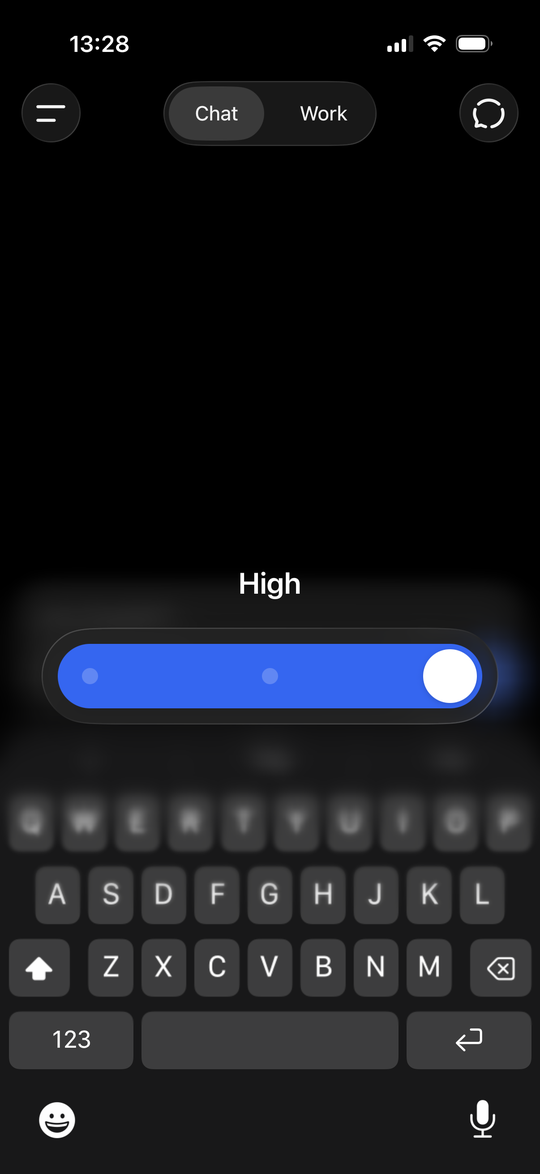
  3. Drag the slider all the way to High.
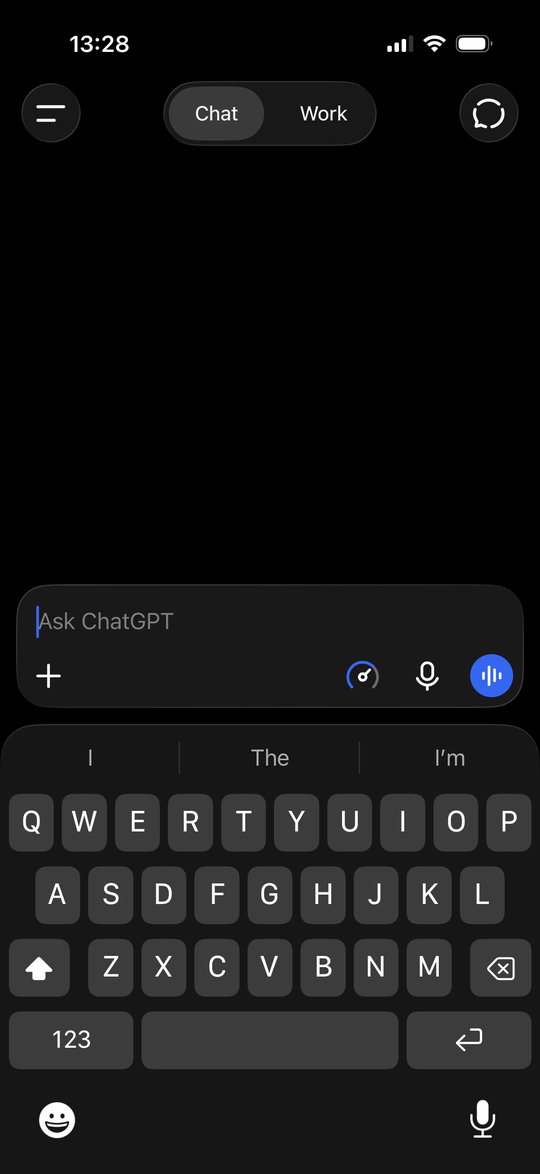
  4. Check that the gauge icon now appears beside the microphone. That means deeper thinking is on.
  5. If your plan also shows a model picker, choose the strongest model offered, such as a Thinking or Pro option.

Stay signed in so your plan’s full model list appears. Screenshots show the iPhone app; the web and Android layouts are similar.
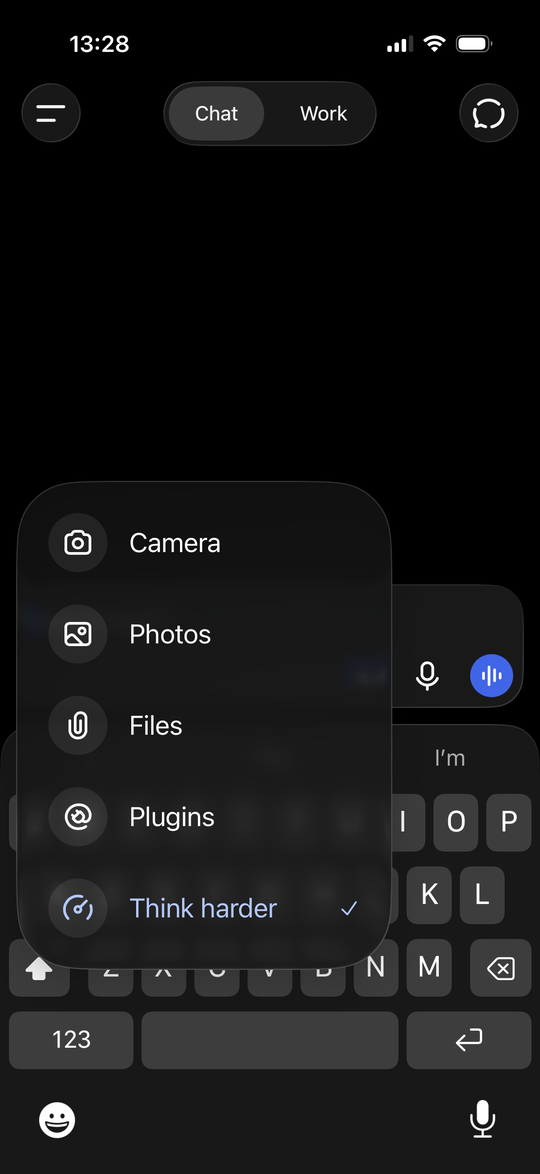
ChatGPT on iPhone with the plus menu open, listing Camera, Photos, Files, Plugins, and a checked Think harder option.
1 Tap +, then Think harder.
ChatGPT on iPhone showing a reasoning slider set to High at its far right position.
2 Slide to High.
ChatGPT on iPhone with an Ask ChatGPT message box showing a gauge icon beside the microphone, confirming deeper thinking is on.
3 The gauge icon shows it’s on.

Claude

claude.ai · iPhone, Android, web

  1. Start a new chat before pasting your Enphana link.
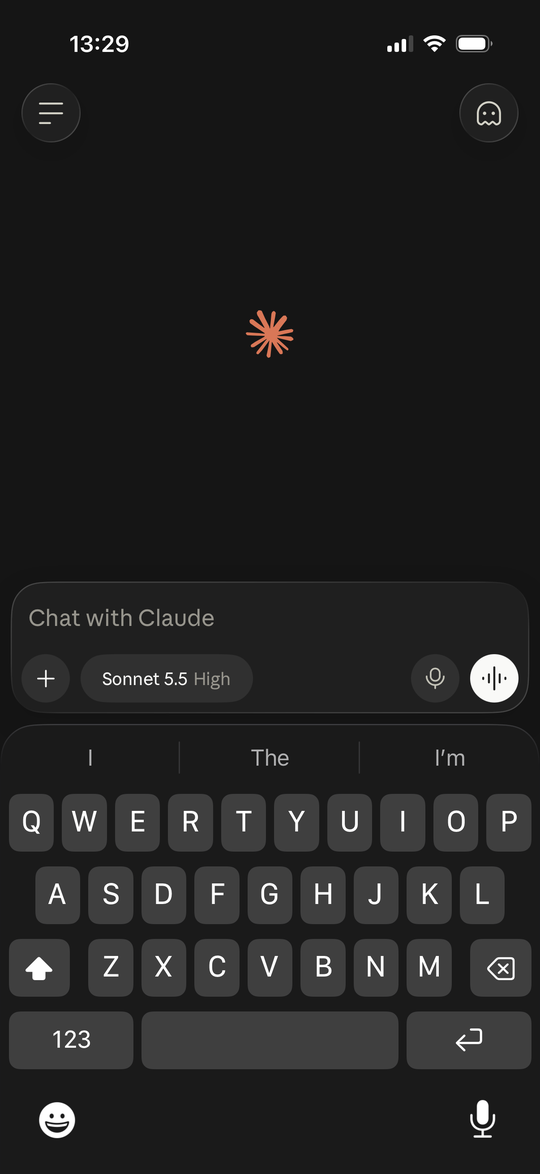
  2. Tap the model button beside the + in the message box. It shows the current model and effort, such as Sonnet 5.5 High.
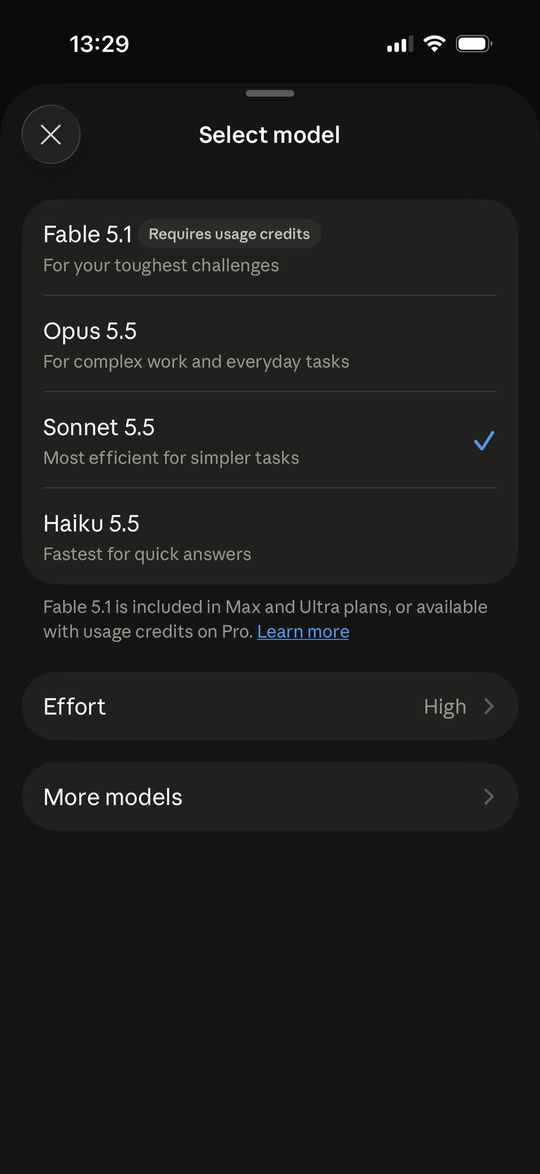
  3. Choose the most capable model your plan offers. Some, like Fable 5.1, need a higher plan or usage credits.
  4. Tap Effort and choose High or Extra. Max works too, but uses 5× or more of your usage.
  5. Go back to the message box and check that the model button shows your new effort level.

Stay signed in so your plan’s full model list appears. Screenshots show the iPhone app; the web and Android layouts are similar.
Claude on iPhone with the message box open, showing a model button labeled Sonnet 5.5 High beside the plus button.
1 Tap the model button.
Claude's Select model screen listing Fable 5.1, Opus 5.5, Sonnet 5.5, and Haiku 5.5, with an Effort row set to High and a More models row below.
2 Pick a model, then tap Effort.
Claude's Effort screen listing Low, Medium, High, Extra, and Max, with High checked and a note that Max uses 5 times or more usage.
3 Choose High or higher.

Grok

grok.com · iPhone, Android, web

  1. Start a new chat before pasting your Enphana link.
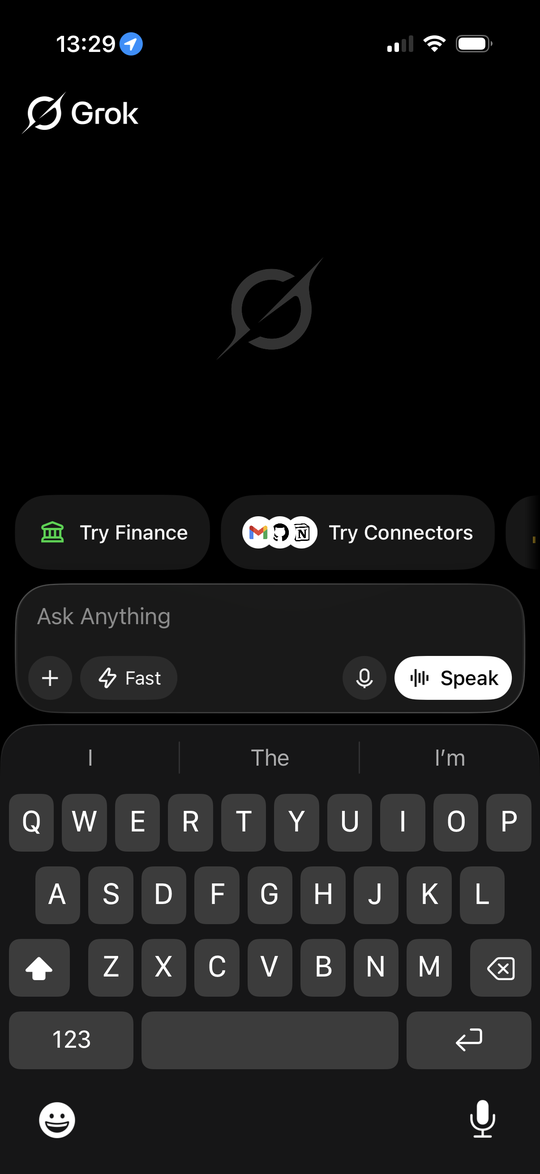
  2. Tap the mode button beside the + in the message box. It shows Fast until you change it.
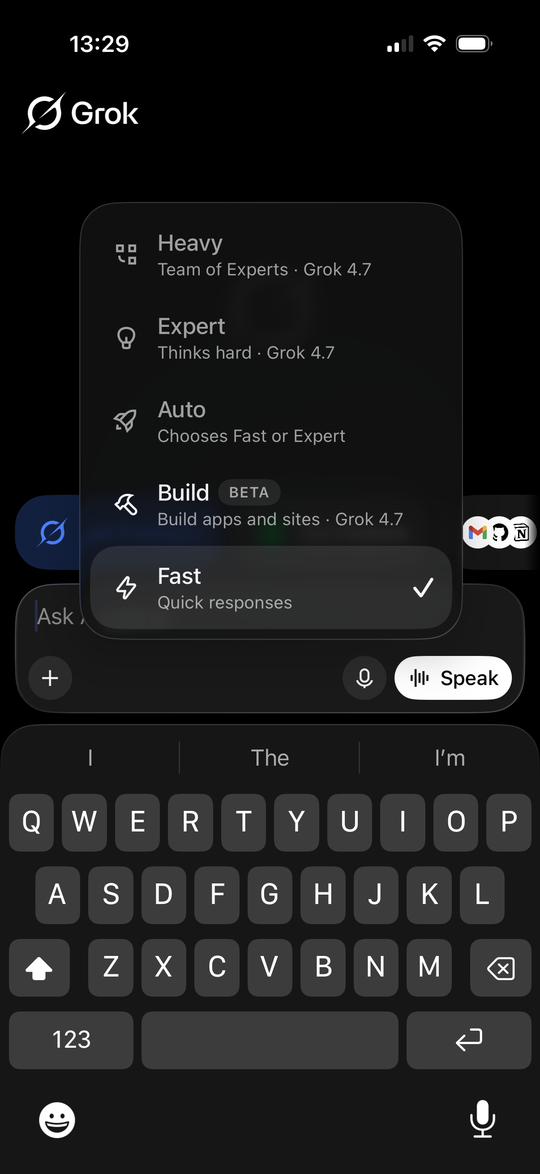
  3. Choose Expert (“Thinks hard”), or Heavy (“Team of Experts”) if your plan offers it. Avoid Fast, and note that Auto may pick Fast.
  4. Go back to the message box and check that the mode button shows your new choice.

Stay signed in so your plan’s full mode list appears. Screenshots show the iPhone app; the web and Android layouts are similar.
Grok on iPhone with the Ask Anything message box open, showing a mode button labeled Fast beside the plus button.
1 Tap the mode button.
Grok's mode menu listing Heavy, Expert, Auto, Build, and Fast, with Fast currently checked.
2 Choose Expert or Heavy.

HOW TO TELL IT’S WORKING

It should pause, then point to your records.

  • + The AI pauses to think before it answers.
  • + It refers to specific records and dates from your data.
  • + If it replies instantly with generic advice, try a stronger model or a higher reasoning setting.